A caller says they’re from your IT provider and needs you to approve a login prompt or read back a one-time code to fix an account problem. That’s a help desk impersonation scam, and it works because it skips your firewall and spam filter entirely by going straight after the person who can reset a password. CISA and the FBI have named this exact tactic as the entry point behind some of the most damaging breaches of the past two years, and a Southwest Florida small business without a call-verification rule is exactly the kind of target these crews look for.
- Attackers call, text, or message an employee posing as internal IT, a familiar vendor, or the company’s managed service provider, then ask them to approve an MFA push or read back a one-time code.
- The group tracked as Scattered Spider has repeatedly targeted help desk staff to trigger password and MFA resets, per a joint CISA/FBI advisory updated in July 2025.
- New York’s Department of Financial Services told regulated firms in a February 2026 industry letter that the campaign is still active and shifting tactics.
- A single successful call hands an attacker the same access a stolen password would, without a single phishing email ever landing in an inbox.
- The fix is a verification step nobody is allowed to skip, even for someone who sounds like they already work there.
How does a help desk impersonation attack actually work?
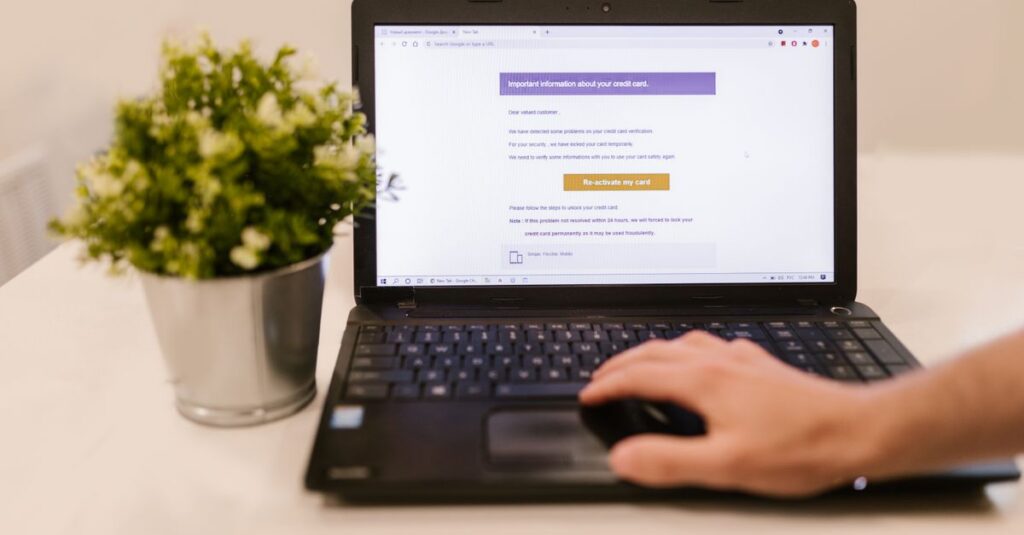
Most versions follow the same script. Someone calls or texts an employee, often after gathering enough detail from LinkedIn or a company directory to sound convincing, and claims to be resolving an account lockout or a security alert. They ask the employee to click a link that looks like a normal Microsoft or Google login page, enter their password, and then read back the six-digit code that just landed in their authenticator app or text messages. Some versions skip the fake login page entirely and just talk the employee into approving a push notification on their phone. Either way, the attacker now holds a working session with full MFA already satisfied.
Once inside, the pattern is familiar to anyone who has already read about why stolen logins are now the top threat facing Southwest Florida small businesses: quiet mailbox access first, then a hunt for banking details, vendor contacts, or an opening to redirect a wire payment.
Why does this work even at businesses with MFA turned on?
MFA is built to stop a stranger from logging in with a stolen password alone. It was never designed to stop an employee from voluntarily handing over the second factor to someone they believe is a coworker. That’s a people problem, not a technology gap, and it’s the same reason AI-generated phishing aimed at bypassing Microsoft 365 MFA has been on the rise: attackers have learned that the fastest way past a technical control is to ask a person to turn it off for them.
Small offices are also more exposed than they think. A ten-person company usually doesn’t have a dedicated help desk, which means the person calling themselves the IT department on the other end of the phone really could be one guy answering a cell phone, and staff have no habit of double-checking who they’re actually talking to.
What should Southwest Florida businesses do differently?
A short list of changes closes most of the gap:
- Require a callback to a number already on file, never the number the caller provides, before any password or MFA reset happens.
- Set a shared verification phrase or PIN with your IT provider that legitimate staff will always know and scammers won’t.
- Turn off SMS and voice-call MFA where possible and move to an authenticator app or a hardware key, since those can’t be read aloud over the phone.
- Tell employees explicitly that a real technician will never ask them to read back a one-time code.
- After hurricane season disruptions, when staff already expect odd calls about outages and account issues, treat every unexpected IT call with extra suspicion rather than less.
None of this requires new software. It requires a rule that’s written down, told to every new hire, and enforced without exceptions, including for the boss.
Frequently asked questions
What is a help desk impersonation scam?
It’s a phone or text-based social engineering attack where a caller poses as internal IT, a managed service provider, or a familiar vendor and talks an employee into approving a login prompt, reading back a one-time code, or resetting their own password and MFA.
Does multi-factor authentication stop this attack?
Not by itself. The attacker isn’t guessing your password, they’re convincing a person to hand over the code or approve the push notification, which defeats MFA the same way a stolen password would.
Who is behind these attacks?
CISA and the FBI have attributed much of this activity to a group tracked as Scattered Spider, which specifically targets help desk and support staff to trigger credential and MFA resets, according to their joint advisory.
What’s the single most effective fix?
A callback verification step that cannot be skipped: before any password or MFA reset, the help desk calls the employee back on a number already on file, rather than trusting the number the caller provided.
If your team doesn’t have a written callback-verification rule for IT and account reset requests, that’s a gap worth closing before it gets tested. SWFIT offers a free 30-minute IT and security review for Southwest Florida businesses to look at exactly this kind of exposure. Contact us to set one up.
SWFIT