
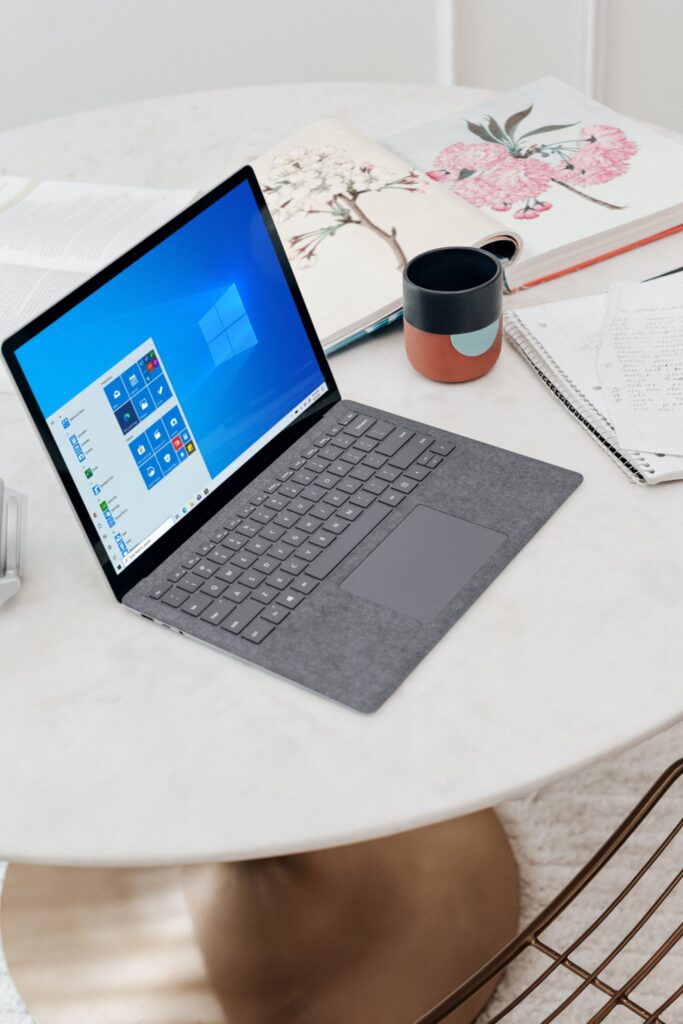
“Hybrid office” is the new buzzword you’ll hear used in business discussions. It’s the mix of having employees both working at the office and working from home. This has become more than a buzzword and is now the reality for many companies.
There was a survey of employees with remote-capable jobs. The survey found that as of February of 2022, 42% of them were working a hybrid schedule. And 39% were working from home full time.
The global pandemic brought on this hybrid office transition. It forced companies to operate with teams that could no longer safely come to the office. During this time, employers and employees experienced the benefits of hybrid work firsthand.
These benefits of remote teams included cost savings for both workers and employers. It also allowed the company to operate with more flexibility. Improved worker morale was another advantage.
One fact surprised many employers that feared remote work would tank productivity. It actually increased in many circumstances.
63% of high-growth companies use a “productivity anywhere” hybrid work approach.
In order for hybrid teams to be productive, they need to stay connected. No matter where they work, the right technology tools should enable them.
One of the leaders in this space has been Microsoft. The company plans to add several exciting updates this year. These will provide more tools for companies to enable their hybrid teams.
Here are some of the ways you can use Microsoft 365 to optimize a productive hybrid office. Note, that some of these features are already out, and others should release later this year.
1. Microsoft Teams & Expanded Features
Microsoft Teams is much more than a team messaging app. The application combines the best features of virtual video meetings and messaging channels. It brings them together into a platform designed to be a secure online work hub.
MS Teams has come a long way in the last five years. And the company continues to add more features to enable hybrid offices. Some of the recent feature updates include:
- The ability to do webinar registration
- Presenter modes that provide a more professional virtual presence
- Increased security through features like smart links and smart attachments
- A full business VoIP phone system add-on
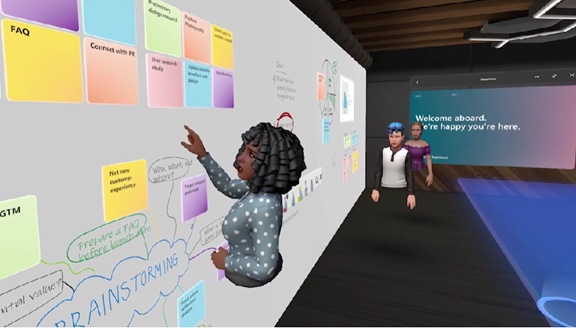
- The addition of a “metaverse” component called Mesh for Teams
2. New Meeting Options for RSVP in Outlook
One of the challenges, when everyone isn’t working in the same place, is how to know when to “clock in” and “clock out.” As well as how to let colleagues know whether you are working at home next week or the office.
To help hybrid teams better coordinate, Outlook is getting an update. It will allow users to RSVP to meetings. This can let team members know whether they are attending virtually or in person.
3. Better Framing for More Engaging Meetings
One thing that can distract from the purpose of a meeting is someone’s background at home. Positioning of the camera can also be problematic. One person might have their face taking up 80% of the video screen. Another may only take up 20% because they’re sitting farther away from their PC’s camera.
A new Surface Hub 2S Smart Camera will allow for better face framing. This will affect when people are meeting virtually in Microsoft Teams. Features include adjusting the room view so people’s faces will be clearer. As well as having more consistent sizing.
The video display will also automatically adjust as people join or leave a physical room.

4. Get Better Control of Your Video Using PowerPoint to Present
People often share a screen in a video call and present a PowerPoint presentation. It can be difficult to keep everyone as engaged as when you’re presenting in person.
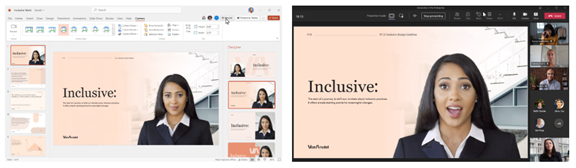
For example, in person, you can maintain eye contact. People can clearly see your facial expressions as you emphasize various things. That’s not always the case when presenting virtually. The app may push your video feed into a tiny box.
There’s a new upcoming feature for Teams called Cameo. It will allow you to seamlessly integrate PowerPoint with MS teams. You can decide exactly how you want your video feed to appear in relation to your presentation.
Another addition is Recording Studio. This new feature for PowerPoint allows you to record professional-looking on-demand videos. You can do it right inside the app.
5. Get Help With Your Presentation Skills
Microsoft has poured a lot of AI capabilities into Microsoft 365 over the last several years. One that will soon help you deliver better virtual presentations is Speaker Coach.
This is a private and personalized coach. It can help you hone your presentation skills. This improves your switch to the differences between presenting online versus in person.
Some of the feedback it can provide include:
- Use of repetitive language
- Use of filler words (Ummm)
- Speaking pace
- Pausing for input
- Intonation
- Speaker overlaps
- And more
Ask Us About Improving Your Hybrid Office Capabilities with Microsoft 365
Microsoft 365 has a ton of helpful features. But it does help to have an expert guide to help you navigate these capabilities. Contact us today to set up a chat about how Microsoft 365 can help your business grow.
This Article has been Republished with Permission from The Technology Press.



